How Automated File Handling Quietly Saves Time at Scale
How Automated File Handling Quietly Saves Time
Most service businesses lose time in the same quiet way: searching for files, renaming documents, saving attachments, and copying the same information into multiple places. None of these tasks seem urgent, but together they add up to hours every week.
Automated file handling is about letting systems manage those repeatable, rule-based file tasks in the background. When it is designed thoughtfully, it does not feel flashy or disruptive. It simply reduces friction in the way your business already works.
What Is Automated File Handling?
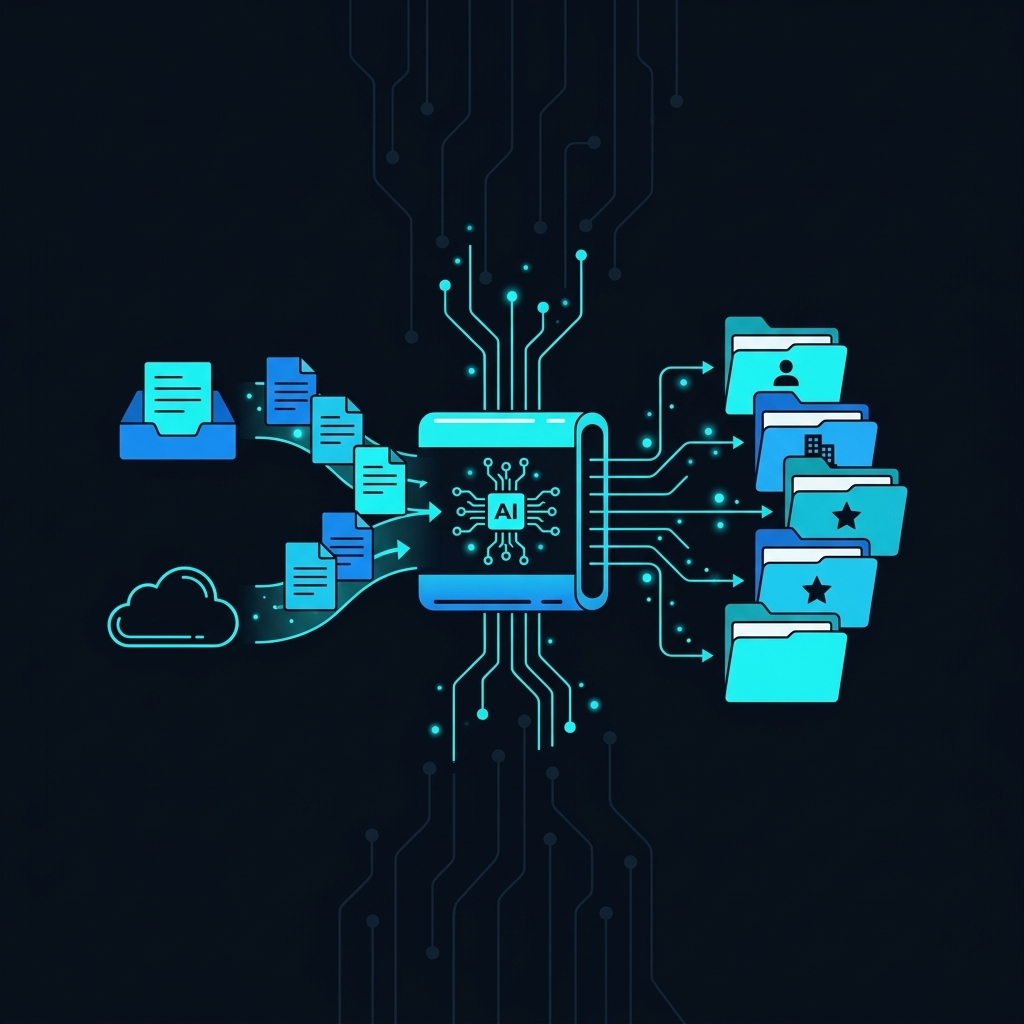
Automated file handling refers to using software and AI-powered tools to manage files according to predefined rules or triggers. Instead of a person manually downloading, renaming, sorting, and moving files, an automation platform handles those steps consistently.
These automations can work across cloud storage systems, email inboxes, CRMs, ticketing platforms, and project management tools. They listen for patterns and events, then apply the same logic every time.
Common Examples in Service Businesses
- Saving incoming email attachments into the correct client folders.
- Renaming files to match a standard format, such as ClientName_Project_Date.
- Syncing signed contracts from e-signature tools into a central repository.
- Generating PDF copies of invoices or reports and filing them automatically.
- Archiving old project files based on age or project status.
- Sharing the right documents with the right team members when a status changes.
Each of these tasks looks small in isolation. At scale, across a team, they become a meaningful drag on productive time.
Where Manual File Handling Consumes Time
To understand the value of automation, it helps to look at where time actually goes in day-to-day file work. For most teams, the friction shows up in a few predictable areas.
Searching for the Right Version
Teams often spend time locating the latest version of a document, proposal, or asset. Files may live across email threads, local drives, shared folders, or chat tools. Without consistent naming and filing rules, version control becomes a recurring problem.
Automated file handling can apply standardized naming, routing, and versioning rules so the latest file is always stored in the expected place, with predictable structure.
Repetitive Save-and-Rename Routines
Many processes rely on the same pattern: open an email, download an attachment, rename the file, move it to the right folder, and notify someone. This routine is simple but repeated dozens or hundreds of times per month.
Automations can replicate this sequence based on triggers such as sender, subject line, form submission, or deal stage. Once configured, the workflow runs the same way every time without manual clicks.
Routing Documents Between Systems
Service businesses often use a mix of tools: CRM, project management, e-signature, accounting, and shared drives. Documents move between these systems as work progresses.
When this routing is manual, files can be misplaced or delayed. Automated file handling connects systems so that, for example, a signed agreement in an e-signature platform is automatically stored in the correct client folder and linked to the client record in the CRM.
The Quiet Benefits of Automating File Work
Automated file handling is rarely the headline feature of a digital transformation project, but it has cumulative benefits that show up in day-to-day operations.
Incremental Time Savings Across the Team
Each individual save, rename, or move task may take seconds or minutes, but they are frequent and interrupt focus. When these micro-tasks are automated, employees can spend more time on communication, problem-solving, and client work.
The value is especially visible in roles with high document volume: operations coordinators, admin staff, account managers, and finance teams. Even modest automations can free noticeable time over weeks and months.
Consistent Structure and Reduced Errors
Manual processes rely on people remembering and following rules. In practice, file naming conventions and folder structures often drift. This can lead to misplaced documents, duplicate records, or incomplete client files.
With automation, the rules are embedded into the system. Files are organized using consistent logic based on client IDs, project types, dates, or statuses. This consistency makes audits, handoffs, and reporting simpler.
Faster Onboarding for New Staff
When file handling is automated, new team members have fewer tribal knowledge rules to learn. They can rely on the system to place documents in predictable locations and follow established conventions.
This reduces onboarding overhead and shortens the time it takes for new hires to work confidently inside your digital environment.
Clearer Customer Records and History
For service businesses, a complete history of files tied to each client or project is valuable. Proposals, contracts, change orders, reports, and invoices tell the story of the relationship.
Automated file handling can help ensure that these documents are consistently stored in the right client context. This makes it easier to review history, respond to questions, and coordinate across teams.
How AI Enhances File Handling Automation
Traditional automation rules are often based on simple patterns like sender, folder, or file type. AI adds another layer by helping systems interpret the content of files, not just their metadata.
Understanding Document Content
AI models can scan documents and extract key information such as client names, dates, reference numbers, or service types. This enables routing based on what the document means, not just what it is called.
For example, a system might detect that a PDF is a signed service agreement for a specific service line and automatically place it into the correct service and client folders, even if the file name is generic.
Classifying and Tagging Files Automatically
AI can classify files into categories (proposal, contract, invoice, report) and apply standardized tags. These tags can then drive downstream automation, such as notifying relevant team members or updating related records.
Over time, this leads to richer search and reporting, since documents can be found not only by name, but also by type, client, or other attributes extracted from the content.
Reducing Dependence on Perfect Inputs
In many businesses, automations break when inputs are not perfectly formatted or labeled. AI-supported file handling is more tolerant of imperfect subject lines, inconsistent file names, or varied templates.
By combining rules-based automation with AI-driven understanding, businesses can create more resilient workflows that reflect how people actually work, rather than how systems expect them to work.
Designing Automations That Stay in the Background
The most effective file automations are the ones that become almost invisible. They quietly reduce manual work without forcing teams to change their tools or habits dramatically.
Aligning With Existing Workflows
Rather than redesigning processes from scratch, many teams start by mapping where files already flow today. Automations can then mirror these paths, reducing friction without introducing new complexity.
For example, instead of asking staff to upload files into a new portal, an automation might watch an existing shared inbox and file attachments into the correct folders automatically.
Building in Transparency and Oversight
Even when file handling is automated, teams still need visibility into what is happening. Clear logs, predictable folder structures, and simple status views help maintain trust in the system.
Some organizations also use staging folders where files land for review before final archiving, especially in higher-risk or regulated contexts.
Adjusting Over Time as Processes Evolve
Business processes change as services, tools, and teams evolve. File handling automations tend to be more sustainable when they are reviewed periodically and adjusted like any other operational system.
Because these automations often sit in the background, it can be helpful to treat them as part of your digital infrastructure: visible, documented, and maintained alongside your other systems.
Seeing Automated File Handling as Digital Infrastructure
Automated file handling is not just a convenience feature. It is part of the underlying digital infrastructure that supports reliable operations. When it works well, teams spend less time on routine administration and more time using information instead of managing it.
For service businesses working with growing volumes of documents, contracts, and reports, quiet, resilient automation can be an important foundation for scale.
If you want to better understand how modern AI and automation can support your file workflows and digital operations, you can reach out to the team at HyppoAds. Contact us here to start a conversation about what is possible for your business.


