How Payment Systems Connect to Automation in Service Businesses
How Payment Systems Connect to Automation in Service Businesses
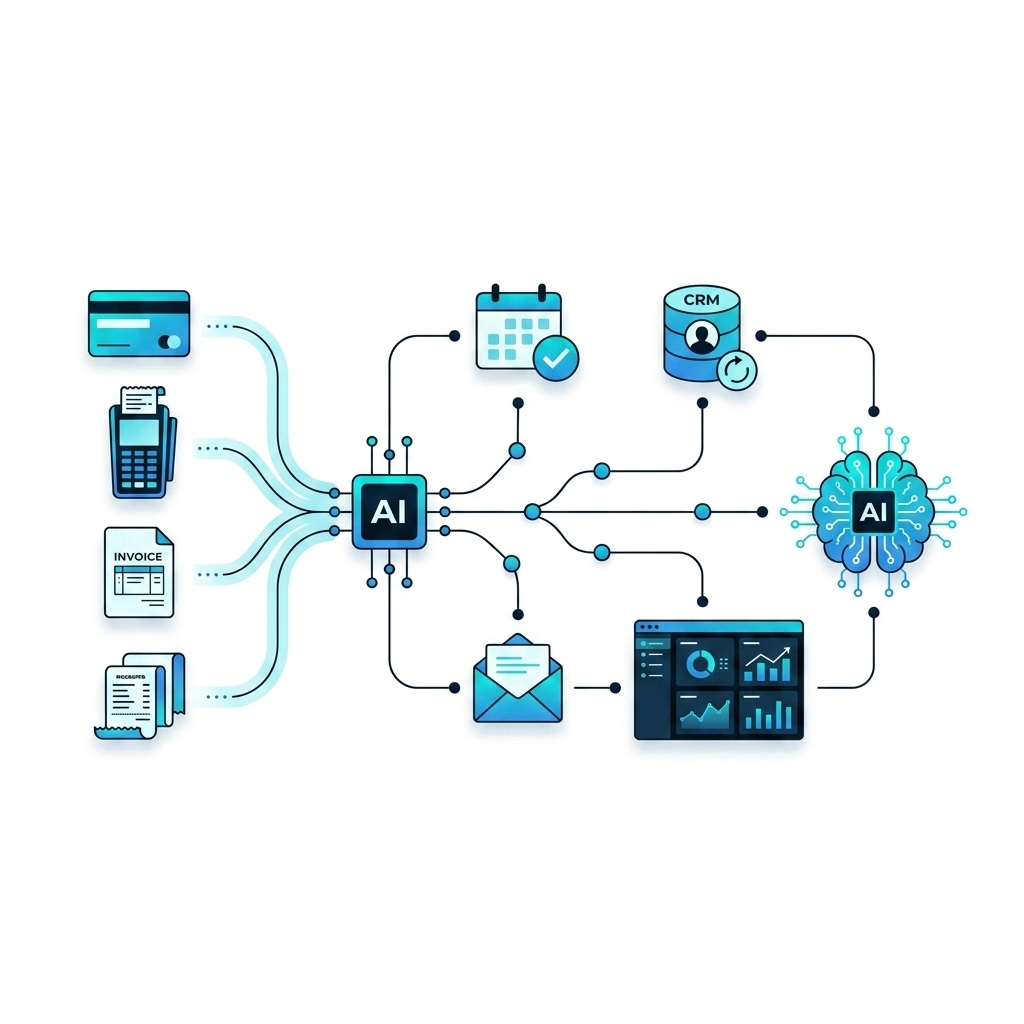
For many service businesses, payments are the first and last touchpoint of every customer relationship. Yet the payment step is often isolated from the rest of the business systems. Modern payment platforms and automation tools are changing that, turning each transaction into a trigger for streamlined workflows, better data, and more predictable operations.
This article explains how payment systems connect to automation, what event-driven payments actually mean, and how these connections support scheduling, communication, reporting, and AI-driven insights. The goal is clarity: understanding how the pieces fit together so you can evaluate options more confidently.
The Role of Payment Systems in a Modern Tech Stack
A payment system is no longer just a virtual cash register. In a modern service business, it is a core system of record that touches customers, revenue, and operations.
Typical payment systems used by service businesses include:
- Online payment gateways (e.g., card, ACH, digital wallets)
- Point-of-sale (POS) systems used in-person
- Invoicing and billing platforms
- Subscription and recurring billing tools
- Integrated payment features inside CRMs or booking tools
Each of these systems generates events and data, such as invoice created, payment succeeded, or subscription canceled. Automation platforms can listen to these events and use them to trigger downstream workflows across your other tools.
From Transactions to Triggers: How Automation Connects
Automation platforms connect to payment systems in a few main ways. Understanding these connection types helps clarify what is possible and what may require custom work or technical support.
1. Native Integrations
Some payment processors provide built-in integrations with scheduling, CRM, or marketing platforms. In these cases, the payment system and the other tool communicate directly through pre-built connectors.
For example, a payment success in the processor might automatically:
- Mark an invoice as paid in an accounting system
- Update a customer record in a CRM
- Unlock access to a membership or appointment booking
These native connections are generally the simplest to use but may offer limited flexibility in how data is mapped or which events can be used.
2. Automation Hubs and iPaaS Tools
Integration-platform-as-a-service (iPaaS) tools and automation hubs act as a middle layer between payment systems and the rest of your tech stack. They typically connect through each platform's API and give you a visual way to design event-driven workflows.
In this setup, the automation hub listens for payment events and then triggers actions in other tools. For example:
- When a payment is completed, create or update a contact in your CRM.
- When a subscription is past due, send an automated reminder email and notify your team.
- When a high-value invoice is paid, add a tag for future VIP follow-ups or loyalty campaigns.
Because the automation hub sits in the middle, it can also standardize data and apply rules, such as only triggering certain workflows for specific services or price thresholds.
3. Webhooks and APIs
For more advanced setups, businesses or their technical partners can use webhooks and APIs to create custom automations. A webhook is essentially a message that a payment system sends to a specific URL when a defined event occurs.
For example, when a payment is successful, a webhook can send event data (customer, amount, time, service) to an automation service or custom backend. That receiving system can then decide which workflows to trigger next.
This approach offers the most flexibility and control but usually requires development resources and careful planning around security, error handling, and data quality.
Key Events That Drive Payment-Based Automation
Automation around payments is built on events. While each platform may use different names, most service businesses pay attention to a core set of event types.
Payment Lifecycle Events
- Payment initiated: A customer starts a checkout or opens a payment link. Can trigger cart reminders or lead tracking.
- Payment succeeded: Funds are captured or authorized. Commonly used to trigger confirmations, scheduling, and service delivery workflows.
- Payment failed: Card declines or errors. Often used for automated retry attempts or outreach.
- Refund issued: Partial or full refunds. May update revenue metrics, service access, and internal notes.
Billing and Subscription Events
- Invoice created: Can start follow-up reminders or internal review processes.
- Invoice overdue: Often used to trigger automated dunning sequences or escalation.
- Subscription created or renewed: Connects to onboarding, access control, or recurring services.
- Subscription canceled or expired: May remove access, adjust forecasts, or initiate win-back campaigns.
By mapping these events to clear business rules, payment systems become a reliable source of truth that drives automation across sales, operations, and finance.
Where Payment-Connected Automation Shows Up in Service Businesses
Once payment events are connected to automation tools, they can support many everyday workflows. Common patterns include:
1. Billing and Collections
Automating billing-related tasks can reduce manual follow-up and improve visibility into cash flow. Event-driven workflows might:
- Send automatic payment confirmation receipts.
- Trigger gentle reminders before and after due dates.
- Create tasks for team members when high-value invoices go unpaid.
- Update accounting or ERP systems as payments change status.
2. Scheduling and Service Delivery
For booking-based service businesses, connecting payments to scheduling tools helps align revenue with capacity. For example, when a payment is completed, automation may:
- Confirm an appointment and send instructions.
- Reserve resources, rooms, or staff capacity.
- Start a job ticket or work order in an operations system.
These workflows help ensure that paid services are visible to the team and can be delivered on time.
3. Customer Communication and Lifecycle
Payment events are high-signal moments in the customer journey. Automation can use them to personalize communication and plan future engagement without manually tracking every transaction.
Examples include:
- Sending onboarding sequences after a first purchase.
- Inviting repeat customers to loyalty or maintenance programs.
- Triggering satisfaction surveys or review requests after service completion.
- Segmenting customers into groups based on spend or service category.
4. Reporting, Forecasting, and AI Insights
When payment systems feed structured data into centralized databases or analytics tools, they support more accurate reporting and forecasting. Automated connections can continuously sync transaction data into data warehouses or dashboards.
From there, AI tools can analyze patterns such as payment timing, customer value, or service mix. This can support questions like:
- Which services generate the most recurring revenue?
- How often do customers repurchase after their first payment?
- Which payment methods correlate with fewer failed charges?
The goal is not to predict the future perfectly but to create feedback loops where payment data informs operational decisions.
Key Concepts: Data Flows, Reliability, and Control
Connecting payment systems to automation introduces several important concepts that affect how reliable and useful the setup becomes.
Data Consistency and Mapping
Each platform labels customers, invoices, and services differently. Automation requires consistent identifiers and field mappings so that a payment from one system correctly matches the right record in another system.
Typical mapping decisions include:
- How customer identifiers are shared between payment, CRM, and scheduling tools.
- Which custom fields store service type, location, or salesperson.
- How tax, fees, and discounts are represented across systems.
Clear mapping reduces confusion, duplicate records, and reporting errors.
Error Handling and Exceptions
No automation is perfect. Cards expire, webhooks fail, and occasionally systems go offline. Robust payment-connected workflows anticipate this by including fallbacks and monitoring.
Common approaches include:
- Flagging records for manual review when data is incomplete.
- Notifying a team channel if a critical automation fails.
- Retrying certain operations (such as syncing) after short delays.
Thinking in terms of exceptions rather than ideal paths helps keep operations steady even when individual events fail.
Security and Access Control
Because payment data is sensitive, connections between systems need to respect security and compliance requirements. This typically means using secure APIs, restricting who can see full card details, and ensuring that automation tools only access the minimum information needed.
Role-based access, audit logs, and clear data retention policies can all support this, often in collaboration with your payment provider and technical partners.
How AI Fits Into Payment-Driven Automation
AI does not replace the underlying payment and automation infrastructure; it builds on top of it. Once payment events and customer data are flowing reliably, AI tools can support tasks such as:
- Classifying transactions by service type or customer segment.
- Summarizing customer payment histories for support or sales teams.
- Identifying unusual patterns in failed payments or refunds.
- Suggesting follow-up actions for specific payment events.
The value of AI in this context depends heavily on data quality, consistent structure, and well-designed workflows.
Bringing It Together: Payments as an Operational Signal
When payment systems are connected to automation, every transaction becomes more than just revenue. It is an operational signal that can update records, coordinate teams, and feed decision-making across the business.
Rather than treating payments as a separate function, many growing service businesses now see them as a central node in their digital infrastructure. The details of how to connect systems will vary by tools, industry, and internal capabilities, but the overall pattern is consistent: payments generate events, automation responds, and data flows into broader operations.
If you are exploring how to modernize your payment infrastructure or better connect it to automation, it can be useful to map out your existing tools, the key events you care about, and where manual handoffs still exist. From there, you can evaluate platforms and partners that align with your requirements and risk profile.
To learn more about how Hyppo Advertising Inc. (HyppoAds) thinks about AI, automation, and digital infrastructure for service businesses, you can reach out for an informational conversation at https://www.hyppohq.ai/contact.


